An AI video ad is a production system.
The short answer to how an AI video ad is made is simple: it is planned, directed, generated, edited and checked like a film. A prompt can produce an interesting clip. It cannot decide the business objective, protect a product, hold a character across shots, build rhythm or approve the final claim. Those jobs belong to a production system.
That distinction matters because viewers do not experience prompts. They experience a sequence with a point of view. The useful question is therefore not which model can make the most spectacular test, but which set of decisions can survive from the brief to every delivered format.
1. Lock the job before choosing the model.
Begin with one audience, one communication task and one action the film should make easier. Is the film introducing a product, reframing an existing brand or giving a launch a memorable visual world? Write that job in one sentence. Then define the channels, duration, aspect ratios, usage period and approval owner.
Next, separate facts from creative freedom. Product geometry, logos, packaging, prices, claims and real likenesses require verified references and explicit permission. Atmosphere, location, camera language and supporting action may be explored. This boundary prevents a beautiful generation from quietly changing what the brand is actually selling.
2. Build a visual bible and a beat sheet.
A visual bible turns taste into repeatable decisions. It records the subject, environment, lens family, camera height, light direction, palette, material response, wardrobe and prohibited changes. Reference images are useful only when each one has a job: one for framing, one for light, one for material and one for movement.
The beat sheet then gives time a structure. Describe what the viewer understands at the opening, what changes in the middle and what remains at the end. From that, write a shot list with coverage: hero view, detail, transition and closing frame. Generating motion before this step usually creates unrelated clips looking for a story afterward.
A closer look at the original image.
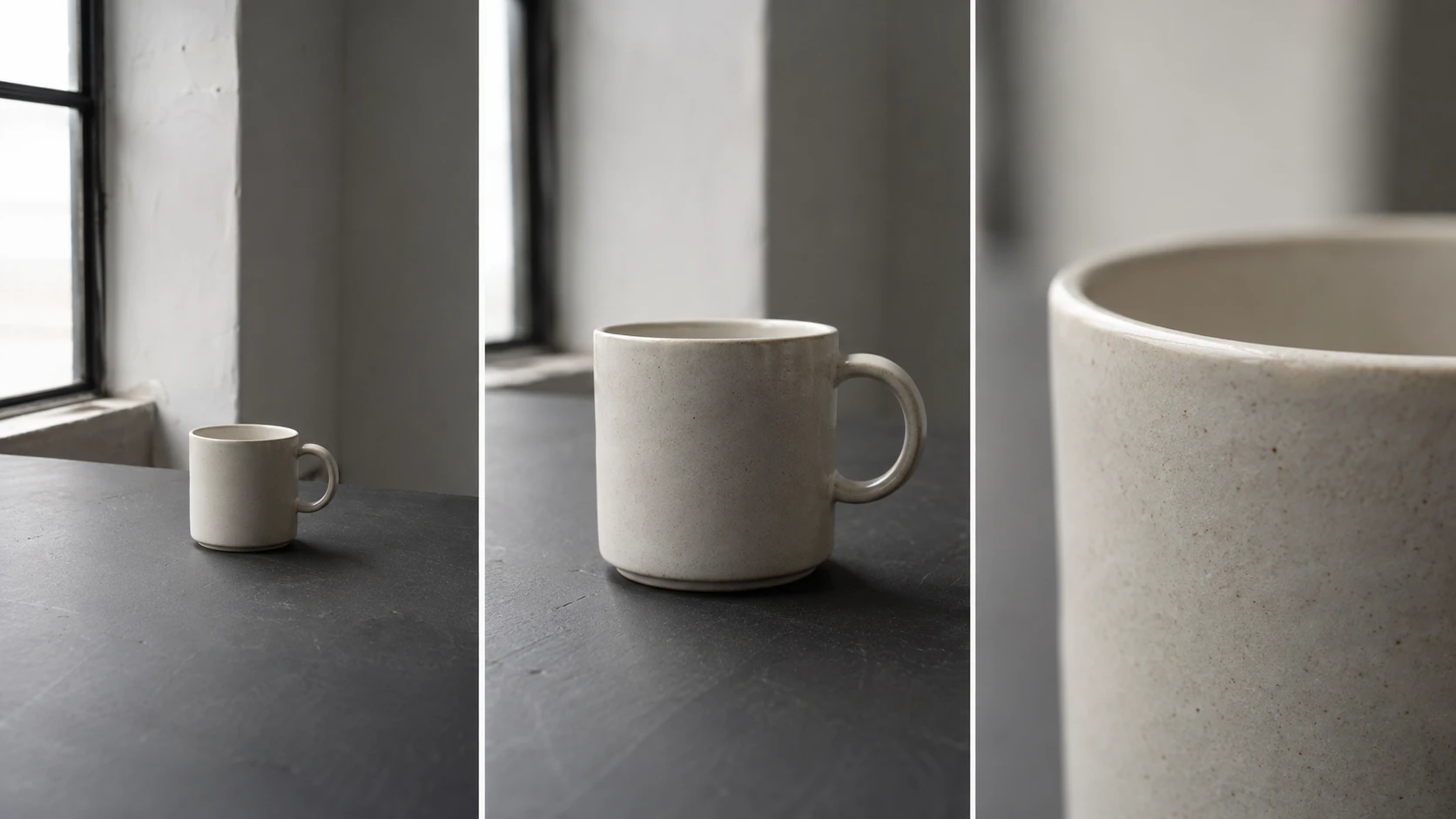
One object. Three jobs for the camera.
Read left to right: establish the setting, introduce the object, then show the material. Each shot adds information instead of repeating the same image.
- Wide: where are we?
- Medium: what should we notice?
- Detail: what makes the material believable?
AI-generated teaching example. Not client work or a model benchmark.
3. Approve anchor frames before motion.
For each shot, first create a still frame that already solves composition, identity, product placement and light. Treat it as the shot's contract. Compare controlled variants by changing one variable at a time: camera distance, gesture or background depth. Keep the approved prompt, references and image version together.
Only then give the shot one clear motion task. A hand reaches for the object. Fabric moves in a draft. The camera makes a slow push. Stacking character action, camera movement, lighting changes and environmental effects into one request makes both direction and diagnosis harder. If the result breaks, you should be able to name which variable failed.
A closer look at the original image.
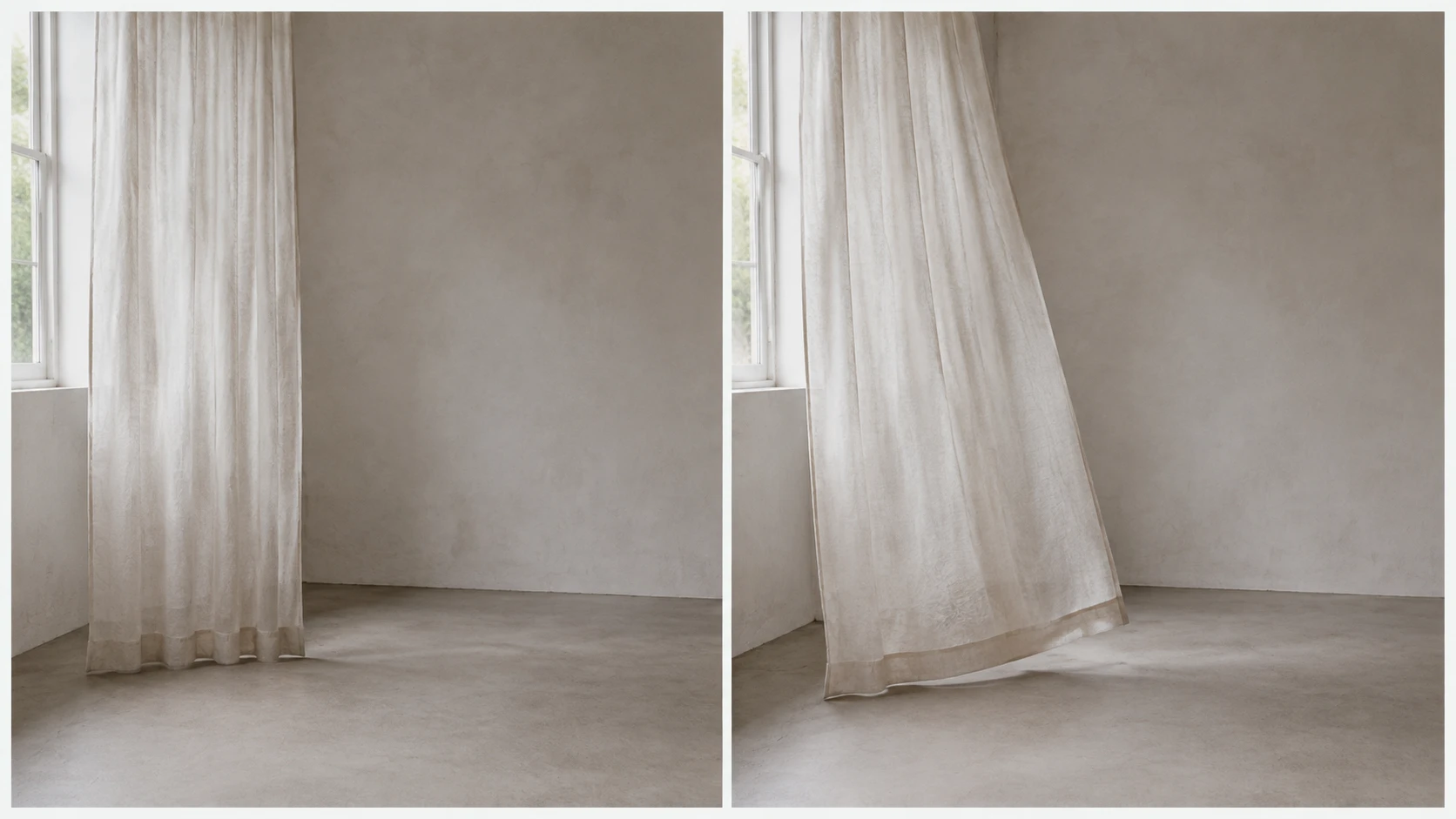
Specify one change between two frames.
The left frame establishes the composition; the right sketches the intended action. This is a motion brief illustrated with stills, not frames extracted from a tested video.
- Subject action: the curtain lifts gently.
- Camera instruction: hold the frame.
- Review: keep the window, light direction and room geometry stable.
AI-generated teaching example. Not client work or a model benchmark.
4. Continuity is reviewed, not assumed.
A campaign can tolerate variation while still feeling like one world. Review face and body proportions, wardrobe, product geometry, screen direction, light direction, architecture and color response across the full sequence. A shot can look excellent alone and still fail when placed between its neighbors.
Use a visible continuity ledger rather than memory. Record each locked choice and score every candidate against it. Repair the first frame where drift appears instead of compensating with increasingly long prompts later. When a critical logo, label or claim must be exact, composite it deterministically after generation.
5. The edit is where clips become a film.
Editing creates emphasis. The length of a look, the point where sound enters and the cut from a wide frame to a detail determine how the idea is felt. Generated shots still need selection, pacing, sound design, typography, color finishing, cleanup and sometimes conventional compositing.
Build one master sequence before multiplying outputs. Then design 16:9, 9:16 and 4:5 versions from the same story logic. Reframing is not a crop button: a vertical film may need a different close shot, more headroom for interface overlays or a new end card. Plan those needs while the shot list can still change.
6. Run a delivery gate before release.
Review the film at full resolution, at platform size and with sound off. Check anatomy, flicker, reflections, contact shadows, text, logo integrity, product detail, compression and safe areas. Confirm music, voice, likeness and source rights. If realistic synthetic media requires a platform disclosure, include that step in delivery rather than leaving it to the upload day.
A practical approval path is visual direction, selected anchor frames, rough cut, one consolidated revision and final delivery. It gives the client something concrete to approve at each stage and keeps late feedback from reopening the whole film. The result is not a lucky generation. It is a controlled visual production whose decisions can be explained.